Entitlements
Define customer access and usage limits
Overview
Entitlements describe what a customer can access and how much they can use based on their subscription. Your application checks entitlements at runtime to gate features, enforce limits, or unlock content. An active subscription grants benefits through entitlements: links between the subscription and each benefit bundled in what they bought.
Benefits
Benefits model feature flags, privileges, allowances, and quotas on products and prices.
Benefit types
- Feature access — Represents feature gates and can express privileges as separate capabilities (for example distinct modules for basic versus advanced tiers).
- Feature quota — Represents measured allowances and quotas. It is tied to a meter; your application sends usage events so Billingrails can aggregate consumption against the limit.
Credits, files, license keys, and third-party app access benefits are on the roadmap.
Common use cases
- Feature flags — Turn capabilities on or off when the subscription includes the matching feature access benefit.
- Tiered functionality — Encode privileges as different feature access benefits or features per tier.
- Included usage and hard caps — Enforce allowances and quotas with feature quota benefits and meters; align metering with usage billing when limits should share the same event pipeline.
- Digital product delivery (coming soon) — Unlock content, downloads, or third-party app access.
Setup entitlements
To setup entitlements, you need to create benefits and attach them to product prices:
Create a benefit
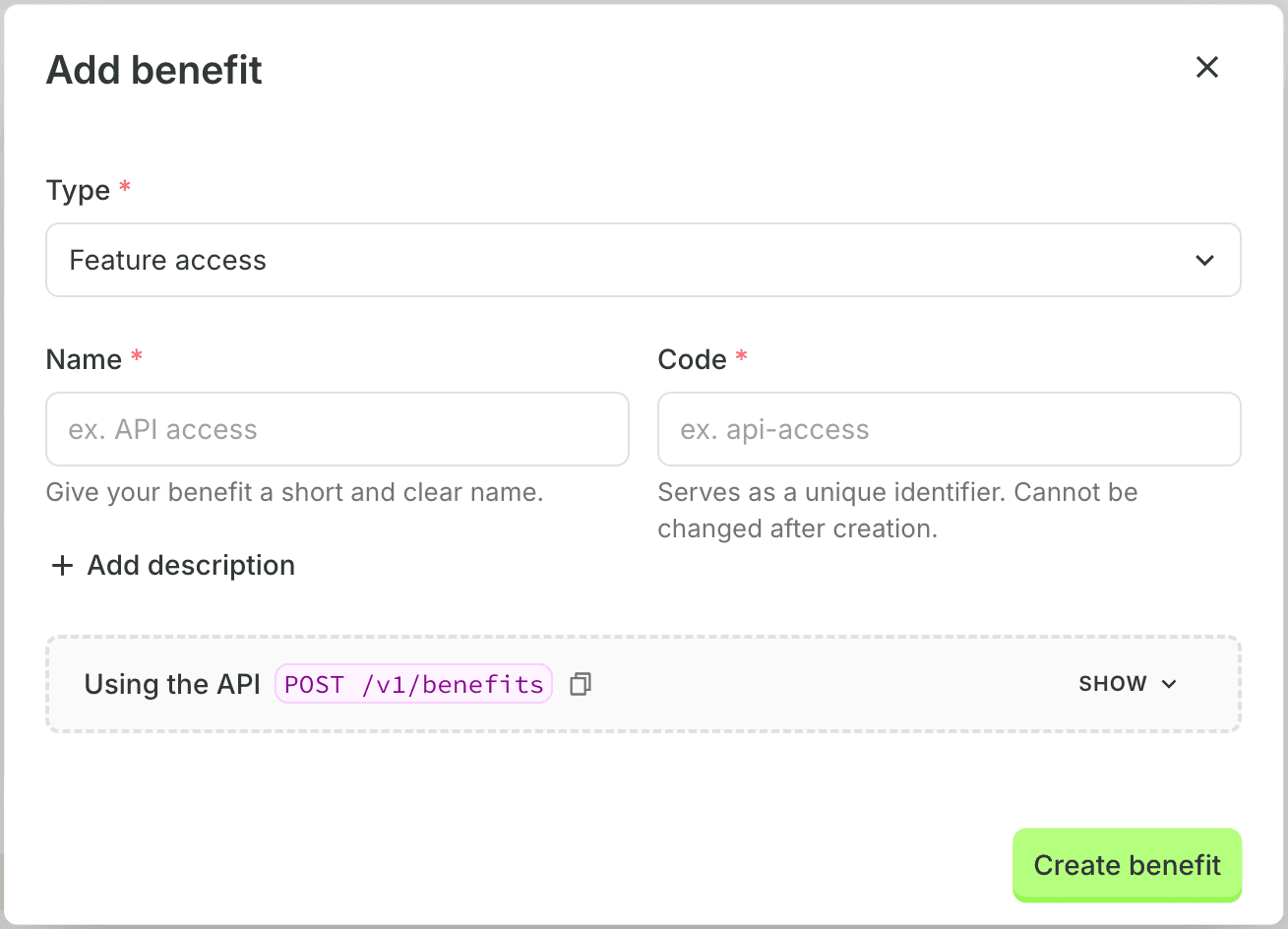
- Navigate to Catalog → Benefits → Add benefit
- Select the type of benefit
- Enter the name, code and optionally a description
- For Feature quota, select the Meter for aggregating usage event
- Click Create benefit
You can also create benefits programmatically using the Benefits API.
Attach benefit to a price
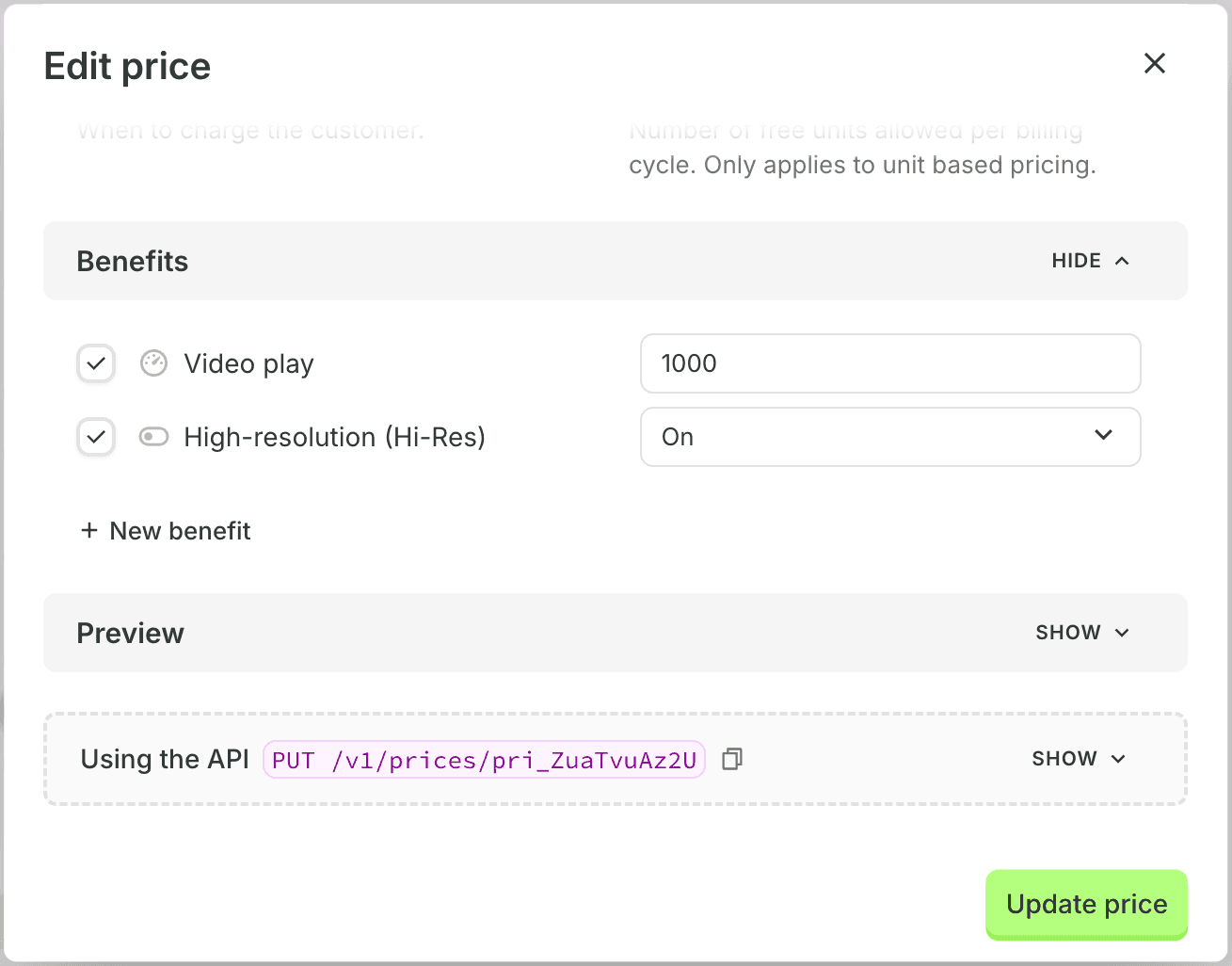
- Navigate to Catalog → Products
- Select the product
- Select the Price to attach the benefit to or create a new price
- Under Benefits, select the benefit to attach to the price
- Click on Update price or Create price
You can also attach benefits to a price programmatically using the Prices API.
When a new subscription is created, Billingrails will create an entitlement for the customer with the benefit attached to the price.