Subscriptions
Recurring billing relationships built from catalog prices
Overview
Subscriptions describe an ongoing billing relationship with a customer. They are composed of one or more products prices. Each line keeps its own price, so you can mix cadences and models on one subscription—for example a monthly platform fee, an annual support add-on, and a usage-based metered line that bills on its own cycle. One-time prices are not what subscriptions renew on; those are for one-off purchases (see Pricing).
Before creating a subscription, you first need to:
- Create products and the recurring (and any one-time) prices you need
- Optionally create plans that bundle those products, each with a chosen price
Create a subscription
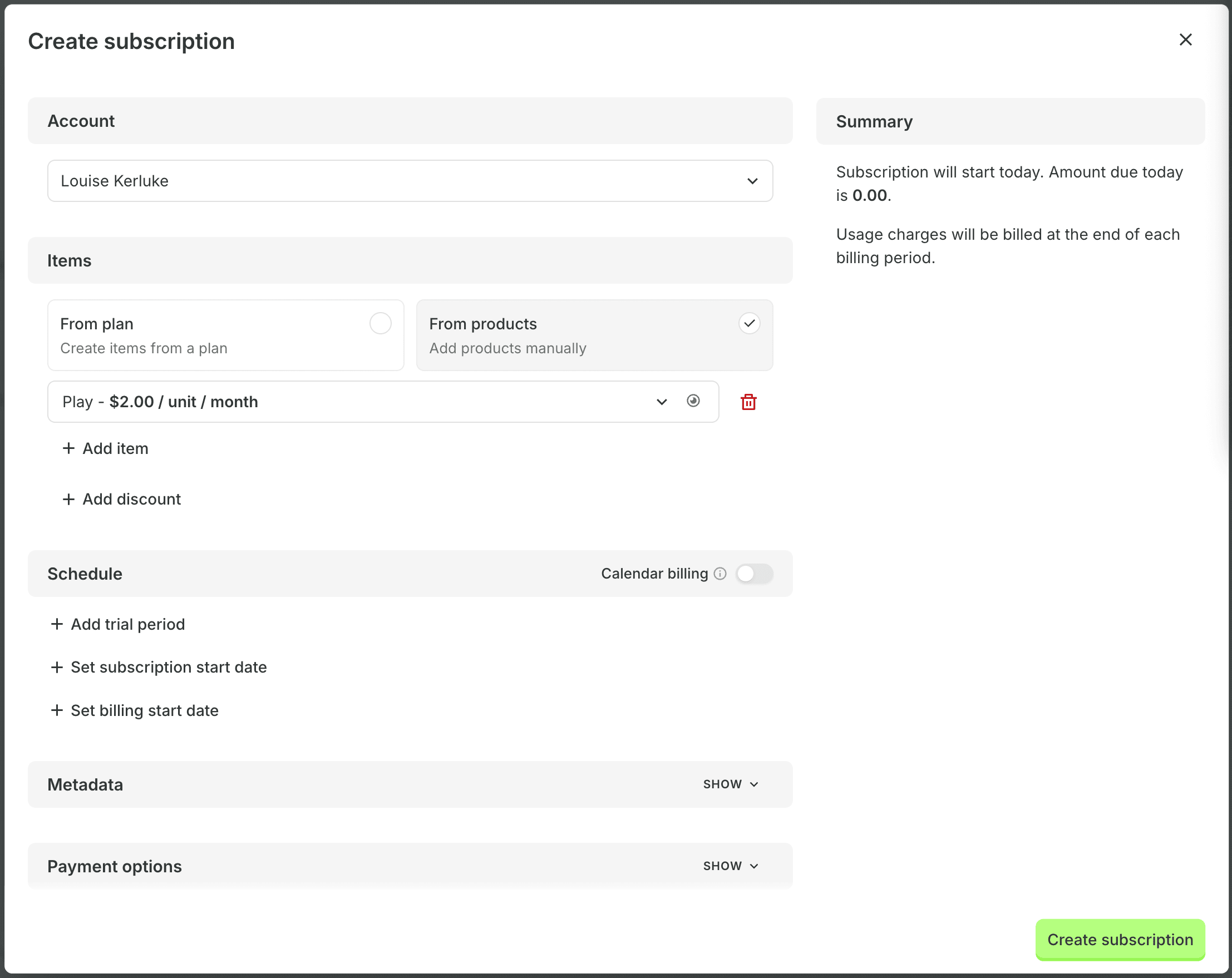
To create a new subscription using the dashboard:
- Navigate to Subscriptions → Create subscription
- Select the customer account
- Choose a plan, or add products directly
- Configure the billing schedule and payment options
- Click Create subscription to save
Plans are not required, but they are the recommended way to sell the same bundle repeatedly. You can still compose a subscription from individual products when you need a one-off mix.
You can also create subscriptions programmatically using the Subscriptions API.
Proration
Proration adjusts amounts when a subscription changes mid-cycle—for example an upgrade partway through a period so the customer pays fairly for the time left on the new terms. The same idea applies when quantities or prices change before the next full renewal.
Customer portal
The customer portal is a Billingrails-hosted, self-serve experience where customers can manage subscriptions, invoices, and payments. You can brand it for your business. It complements catalog and subscription APIs when you want customers to change plans or payment methods without going through your support team.